Resetting a smart solar street lamp controller can be a straightforward task. However, many users struggle with the process. Understanding how to reset a smart solar street lamp controller is essential for optimal functioning. Often, difficulties arise when settings accidentally change or when the system malfunctions.
A successful reset can restore functionality. You might find instructions unclear or misleading. It's vital to consult the manufacturer's guidelines. This can be frustrating, and not all brands offer clear guidance. The steps typically involve locating a reset button or a specific sequence of actions. Familiarizing yourself with your device’s specific requirements can save time and effort.
While the process may seem easy, details matter. Connecting with online communities or forums may provide insights. Learning from others’ experiences can often clarify uncertainties. As technology advances, staying updated on maintenance tips can enhance your solar lamp's performance.
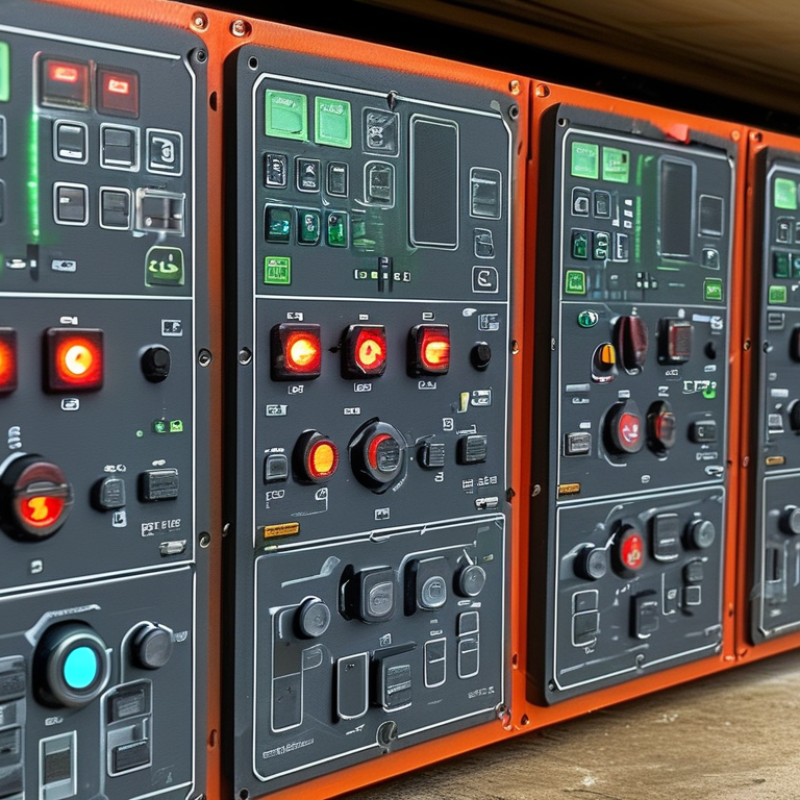
Smart solar street lamp controllers play a crucial role in managing energy-efficient lighting solutions. These devices optimize solar power usage, ensuring proper illumination during nighttime. Understanding their functionality can help users troubleshoot issues effectively.
Tips: Regularly check for firmware updates. This ensures the controller is running the latest software. Outdated firmware can lead to malfunctions. Familiarize yourself with the user manual to identify features and settings easily.
Solar street lamp controllers usually have simple interfaces. They allow users to adjust settings based on environmental conditions. However, users might find certain options confusing. Experiment with different settings to see what works best. This trial-and-error approach is often necessary for optimal performance.
In regular use, these controllers demonstrate remarkable efficiency but can sometimes underperform. Factors like dirt buildup on solar panels or faulty batteries can lead to inconsistent lighting. Monitoring the system’s performance periodically is wise, allowing timely interventions when problems arise.
Smart solar street lamps are convenient, but they can experience issues, leading to the need for resetting the controller. Common problems include malfunctioning sensors, inconsistent brightness, or a complete loss of functionality. These issues often arise due to environmental factors, electrical surges, or installation errors.
When facing these issues, a reset might be the easiest solution. To reset your controller, locate the reset button, usually found on the device. Press and hold it for around 10 seconds. Ensure that the power supply is intact before trying this step. After the reset, check if the lamp operates normally again. It's crucial to monitor the lamp over a few days to ensure the issues do not return.
Tip: Regularly inspect the solar panels for dirt or debris. They can significantly impact the performance of your lamp. Another tip is to keep the wiring secure and free from damage. A small oversight can lead to bigger issues that may require a complex reset process. A proactive approach helps maintain optimal performance.
Resetting your smart solar street lamp controller can seem daunting, but it's a straightforward process. A report by the Solar Energy Industry Association (SEIA) indicates that proper maintenance can enhance efficiency by up to 30%. Resetting the device ensures it operates optimally and can extend its lifespan.
Begin by locating the reset button on your controller. This button is usually tiny and may require a pin to press. Hold it for 10 seconds, and listen for a confirmation sound. This indicates the unit is resetting. Next, check the manual or manufacturer’s guidelines. Neglecting this step could lead to confusion. If you notice the light still flickers or fails to activate, troubleshooting might be necessary. This situation raises questions about the reliability of components. Always ensure replacements are high-quality to avoid recurring issues.
According to a study by the International Renewable Energy Agency (IRENA), over 50% of solar street light failures are due to controller malfunctions. Regularly resetting your device can prevent unexpected outages. However, it’s vital to reflect on your installation environment. Extreme weather conditions can impact performance. Take the time to observe how your unit responds over different seasons. It's not just about reset success; it’s about consistent performance monitoring.
Resetting a smart solar street lamp controller can resolve common issues. However, troubleshooting after a reset is crucial for optimal performance. According to a recent industry report by the Solar Lighting Association, improper settings can lead to a 35% efficiency loss in solar street lights.
After resetting, check the sensor settings. Ensure they are set to detect motion adequately. Poor sensor sensitivity can cause lights to stay off when needed. Adjust these settings incrementally, making sure the controller responds correctly. Documenting changes helps avoid reverting to ineffective settings.
Battery health is another critical factor. Solar street lights often depend on battery efficiency. A report by the International Renewable Energy Agency indicates that 20% of solar light failures are due to battery issues. Ensure the batteries are fully charged and examine connections. Clean any corrosion or dirt that may affect performance. A systematic approach helps identify specific problems, making it easier to implement effective solutions.
| Issue | Possible Causes | Reset Steps | Troubleshooting Tips |
|---|---|---|---|
| Lamp Not Turning On | Dead battery, faulty solar panel | Press and hold reset button for 10 seconds | Check battery connection, ensure panel is clean |
| Inconsistent Lighting | Low battery charge, sensor malfunction | Reboot the controller after resetting | Ensure batteries are fully charged, check sensor settings |
| Remote Control Not Responding | Weak battery in remote, interference | Remove and replace remote battery after reset | Try using the remote closer to the lamp |
| Controller Settings Lost | Power failure during operation | Reset to factory settings | Reconfigure settings according to installation guidelines |
Preventive measures can help you avoid unnecessary resets of your smart solar street lamp controller. Regular maintenance is crucial. Check the wiring frequently to ensure it is intact and moisture-free. Inspect the solar panels for dirt or debris. A clean panel absorbs more sunlight, improving energy efficiency.
Consider installing surge protectors. They shield the controller from electrical spikes. Power fluctuations can cause erratic behavior. By minimizing these risks, you'll extend the life of your lighting system. Look into the location of your lamp as well. Ensure it is placed away from large trees or structures that may block sunlight.
Tips: Keep your lamp's firmware updated. Manufacturers often release improvements that enhance performance. Have a maintenance schedule. Consistent checks will help catch issues early. Document any problems or fixes. This information can guide future troubleshooting efforts. Small steps can prevent larger headaches later on.
: Locate the tiny reset button, press it for 10 seconds, and wait for a confirmation sound.
Resetting ensures optimal operation and can extend the lifespan of your solar street light.
If the light flickers, there might be a malfunction or you may need to troubleshoot further.
Extreme conditions can impact performance, so monitor how your lamp responds across seasons.
Check and adjust the sensor settings to ensure proper motion detection; poor sensitivity impacts lighting.
Battery health is critical; 20% of failures stem from battery issues, so ensure they're fully charged.
Regular maintenance and cleaning of solar panels significantly improve energy efficiency and performance.
Surge protectors shield the controller from electrical spikes, preventing erratic behavior and extending lifespan.
Document all changes and any problems encountered; this helps with future troubleshooting efforts.
Yes, keeping the firmware updated can enhance performance significantly over time.
Resetting a smart solar street lamp controller can be a straightforward task if you understand the basics and common issues that may necessitate a reset. This process generally involves identifying the specific problems, such as connectivity issues or performance malfunctions, that arise during operation. A step-by-step guide can assist you in resetting the controller effectively, ensuring that the lamp functions optimally once more.
After learning how to reset a smart solar street lamp controller, it's crucial to troubleshoot any persistent issues you may encounter. Implementing preventive measures can greatly reduce the likelihood of needing future resets. By maintaining your solar street lamp and addressing any concerns proactively, you can enjoy consistent performance and longevity from your smart solar street lighting system.

Zeteo Light